Your Camera Has Been Keeping a Secret Diary — Here's How to Read It
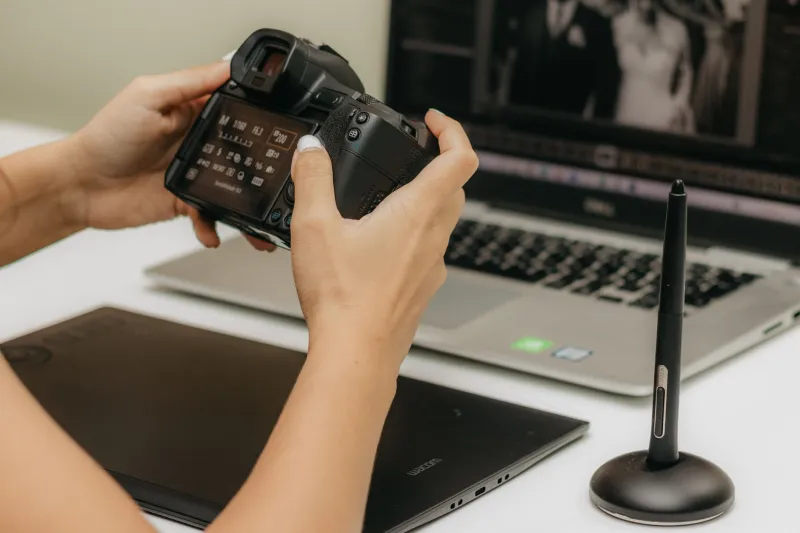
Every photographer has a mental model of how they shoot. They think they mostly work at f/8. They think they rarely push past ISO 3200. They think they're a natural light shooter who occasionally uses flash. And then they actually look at their EXIF data — and discover that mental model is completely wrong.
This happens constantly. EXIF data is the embedded metadata your camera writes into every image file: shutter speed, aperture, ISO, focal length, white balance, GPS coordinates if your camera has them, lens model, time and date, and dozens of other data points depending on your camera system. It's been there since the beginning of digital photography, and most photographers glance at it occasionally when troubleshooting a bad shot. Almost nobody uses it systematically.
That's a missed opportunity. Because used the right way, EXIF analysis is like having a coach who watched every shot you've ever taken and took notes.
What's Actually in That File
The EXIF standard (Exchangeable Image File Format) was established in the 1990s and has grown considerably since then. A modern raw file from a mirrorless camera can contain hundreds of metadata fields. The basics — shutter speed, aperture, ISO, focal length — are what most people know about. But there's more in there.
Depending on your camera brand and model, you might also find:
- Metering mode (spot, evaluative, center-weighted)
- Autofocus mode and area (single point, zone, tracking)
- Exposure compensation value — this one is huge and often overlooked
- Flash status and compensation
- Picture profile or creative style applied in-camera
- Lens stabilization status
- Drive mode (single, burst, self-timer)
- Camera serial number — useful if you're shooting with multiple bodies
- GPS data if location services were enabled
Some manufacturers embed even more in proprietary maker notes — Canon, Nikon, Sony, and Fujifilm all include brand-specific fields that third-party tools can read with the right software.
The Tools You Need (Most Are Free)
You don't need anything fancy to start reading EXIF data. Here are the tools photographers actually use:
ExifTool is the gold standard. It's a free, open-source command-line utility that reads virtually every metadata format in existence. It's powerful enough that professional archivists and forensic investigators use it. For photographers comfortable with a terminal window, it's unbeatable.
Lightroom Classic displays EXIF data in the Library module's metadata panel, and its filtering tools let you sort your entire catalog by any metadata field. Want to see every photo you've taken at f/1.4? Three clicks.
Exif Pilot and IrfanView are solid free Windows options with visual interfaces. Mac users can right-click any image and hit "Get Info" for basics, or use the free Jeffrey's Exif Viewer as a browser-based tool for quick lookups.
Mylio Photos and digiKam both offer metadata analysis across large catalogs with visualization tools that turn your shooting habits into charts and graphs — which is where things get genuinely interesting.
Reverse-Engineering Your Best Shots
Here's a practical exercise that changes how photographers see their own work. Pull your 20 best shots from the last year — the ones you're genuinely proud of, the ones that got reactions, the ones you'd print. Don't pick by subject or composition. Pick by outcome.
Now read the EXIF on every single one and look for patterns.
You might find that your best portraits are almost all shot between 1/200s and 1/400s — faster than you thought you needed, which explains why they're sharp. You might discover that your favorite street shots cluster around f/5.6, not the f/2 you've been chasing. You might realize your keeper rate on burst shots is dramatically lower than your single-frame shots, suggesting you're relying on volume instead of timing.
One pattern that surprises a lot of photographers: exposure compensation. Many people set it and forget it — or worse, they dial in compensation for one shot and never reset it. EXIF data will show you if you've been accidentally underexposing for three months because you set -1.3 EV for a backlit portrait and never changed it back.
What Competitive Shooters Already Know
Sports and wildlife photographers who shoot professionally have been using metadata analysis for years to optimize their systems. They'll pull a day's worth of action shots, filter for keepers versus rejects, and compare the EXIF across both groups to identify the exact shutter speed threshold where their keeper rate drops off. Then they adjust their auto-ISO minimum shutter speed accordingly.
This isn't obsessive gear nerdery — it's data-driven practice. A wedding photographer might discover their ceremony shots in dark churches are consistently underexposed by 2/3 stop, and their post-processing is eating into their shadows on every job. A fix that would take months of intuitive trial and error takes one afternoon of EXIF analysis to identify.
Wildlife photographers use GPS metadata to correlate shooting locations with time of day and light quality, building personal reference maps for where the good light hits at different times of year. Travel photographers use timestamp data to reconstruct shooting itineraries they didn't bother to document at the time.
The Patterns Most Photographers Miss
Focal length clustering is one of the most revealing patterns you can find. Most zoom lens users think they work the full range of their lens. EXIF data almost always shows they use two or three focal lengths repeatedly and barely touch the rest. This is how photographers figure out which prime lenses would actually serve them — not by guessing, but by seeing what focal lengths they keep returning to.
ISO behavior under pressure is another one. Photographers often claim they're comfortable at high ISOs, but their EXIF shows they're consistently underexposing to keep ISO low, then lifting shadows in post — which introduces more noise than just letting ISO run higher in the first place.
Time-of-day patterns can reveal something about your creative rhythm. If your best shots are consistently from the first 30 minutes of a shoot, that's useful self-knowledge. If your EXIF shows you shooting fewer frames as a session goes on, you might be mentally checking out before the light gets interesting.
A Simple Weekly Practice
You don't need to overhaul your workflow to benefit from this. Try a simple habit: at the end of each week, pick five shots you like and five you don't, and compare their metadata side by side. Look for one thing that's different. Over a month, you'll start seeing your own tendencies clearly enough to make deliberate adjustments.
The camera has been taking notes this whole time. It's worth reading them.